

Pioneering a voice-first AI product
MasterClass members want to learn from and connect with the world’s greatest experts. As AI matured, we saw an opportunity to deliver the personal and practical guidance that members had been asking for: a standalone, voice-first AI product that lets them call an AI version of their favorite expert.
Company: MasterClass
My Role: Product Designer
Project Time: One year
The Challenge
Design a new AI product that lets users have a voice call with the world's greatest experts.
My Role
I worked as the sole product designer on this project. I led all UX research, concept development, and end-to-end design. I collaborated closely with engineering and marketing to bring the MVP to life.
🏆 OnCall won the 2026 Webby Award for Best Real-Time AI Engagement
Understanding the Problem
I conducted competitive research across the AI landscape to identify key opportunities. Then I led a full-team brainstorm with product, engineering, data, and marketing to align on our MVP.
COMPETITIVE RESEARCH
“What does the current AI landscape look like and what can we learn from it?”
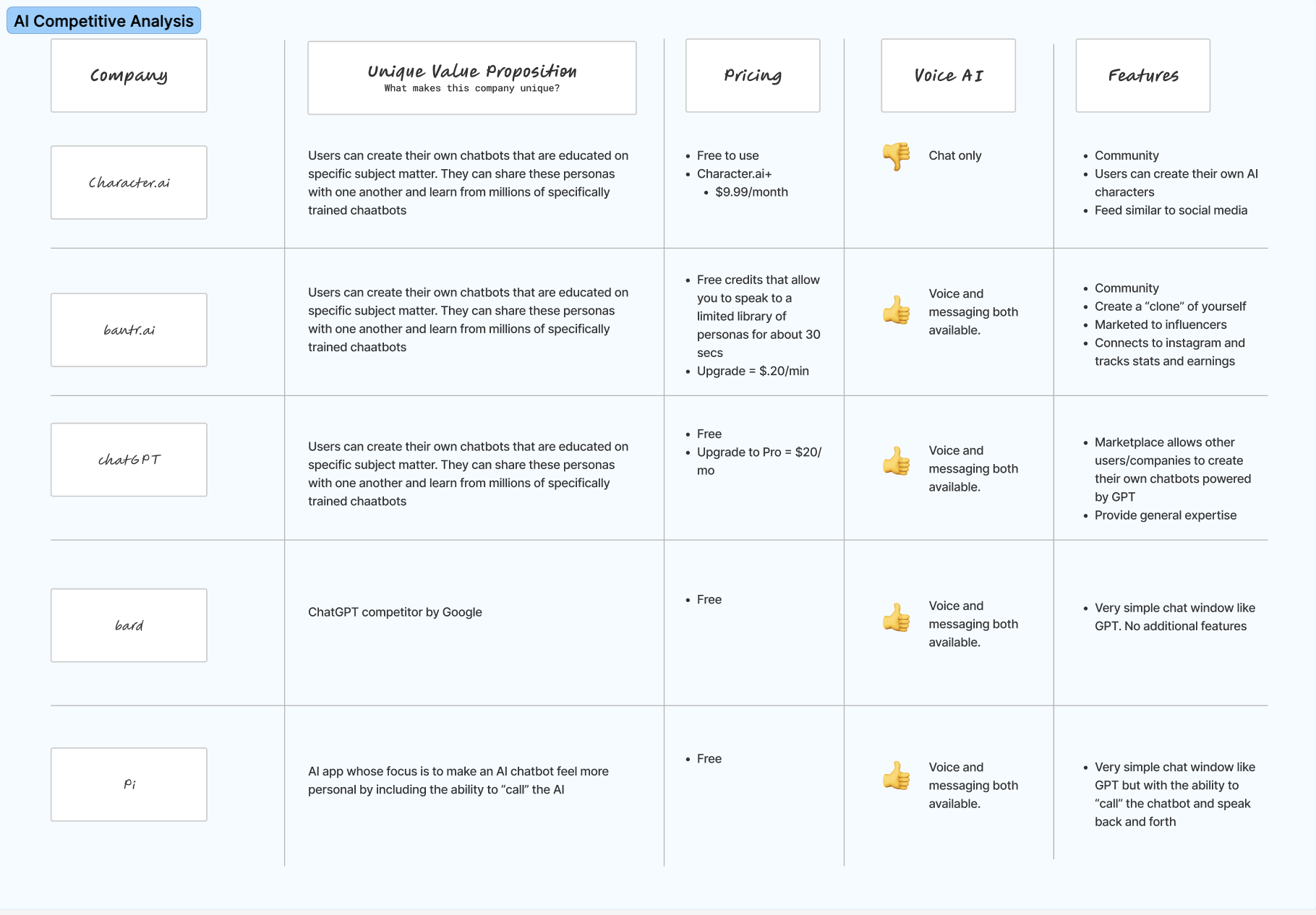
I conducted competitive research across 30 AI products. I looked into features, pricing, membership structures, voice capabilities, and unique value props. I synthesized everything into key learnings, standout features, and areas of opportunity.
TEAM BRAINSTORM
“Based on our research findings, what should be our MVP?”
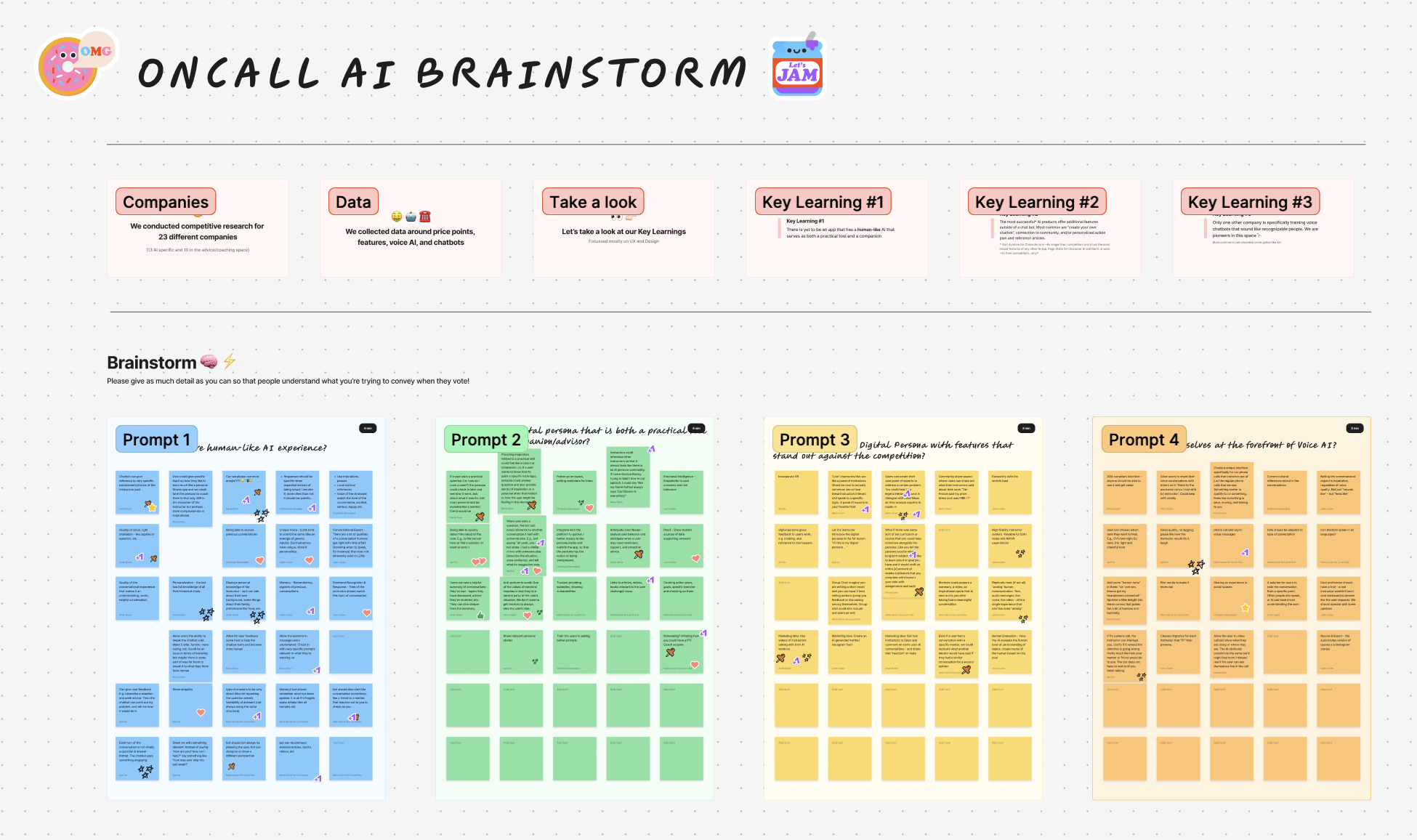
I reframed my research learnings as user problems and facilitated a full-team brainstorm across marketing, leadership, product, engineering, and data. We voted as a team to align on direction and product requirements for the MVP.

HMW create a more human-like AI experience?
HMW create features that stand out?
HMW create a practical tool and a trusted advisor?
Our MVP should:
Make it easy to start a call
Provide guardrails for unpredictable AI models
Highlight AI expert credentials
Early Concept Testing
After defining our MVP, I built a lo-fidelity prototype and ran usability tests to get an early read on the design direction.
LO-FIDELITY PROTOTYPES
“How should the main mechanics of this product work?”
I explored several different directions for the flow and architecture of this project. I iterated on feedback from stakeholders and I created lo-fidelity prototypes to get early feedback from users.
USABILITY TESTS
“What do users think? Are we headed in the right direction?”
After narrowing down to a single solution, I conducted usability tests on usertesting.com with 12 participants on mobile devices. The goal of these tests was to determine if there were any major usability issues and to discover opportunities for iteration.

“I’m unsure what to ask next”
“I’m skeptical that this AI knows what he’s talking about.”
“It’s really frustrating when he interrupts me.”
Building the Solution
After gathering insights from users, I iterated on our early concepts and collaborated with our marketing team to create high fidelity designs.
VISUAL EXPLORATIONS
“What should OnCall look and feel like?”
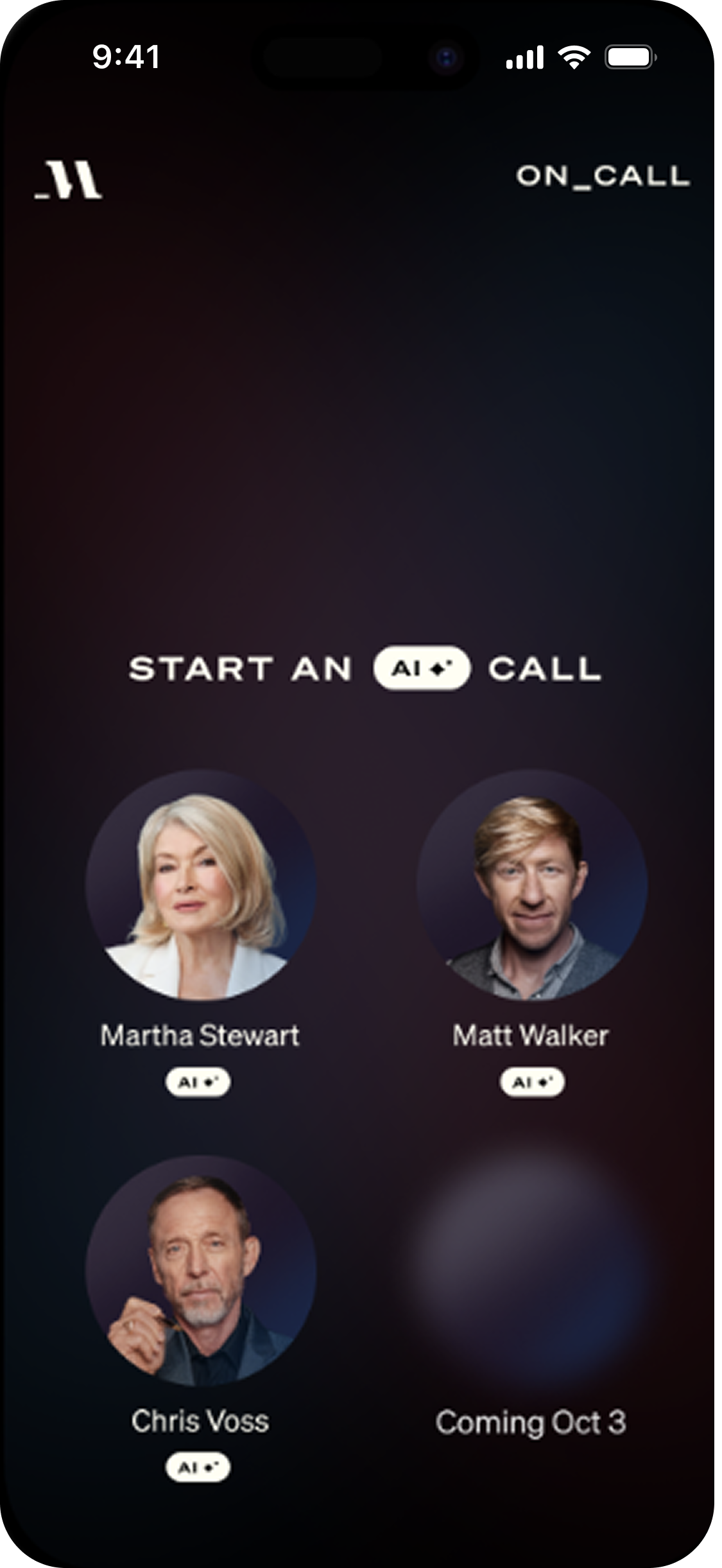
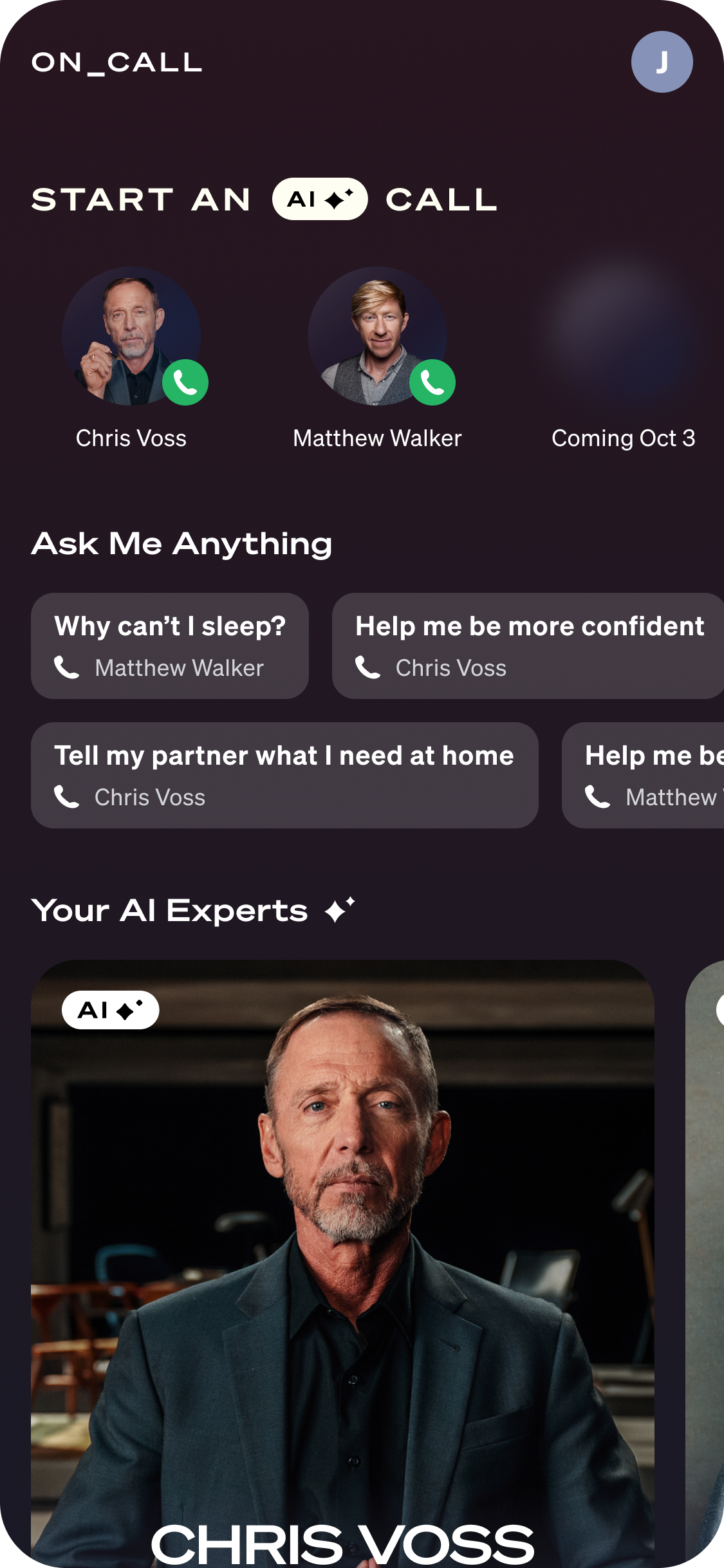
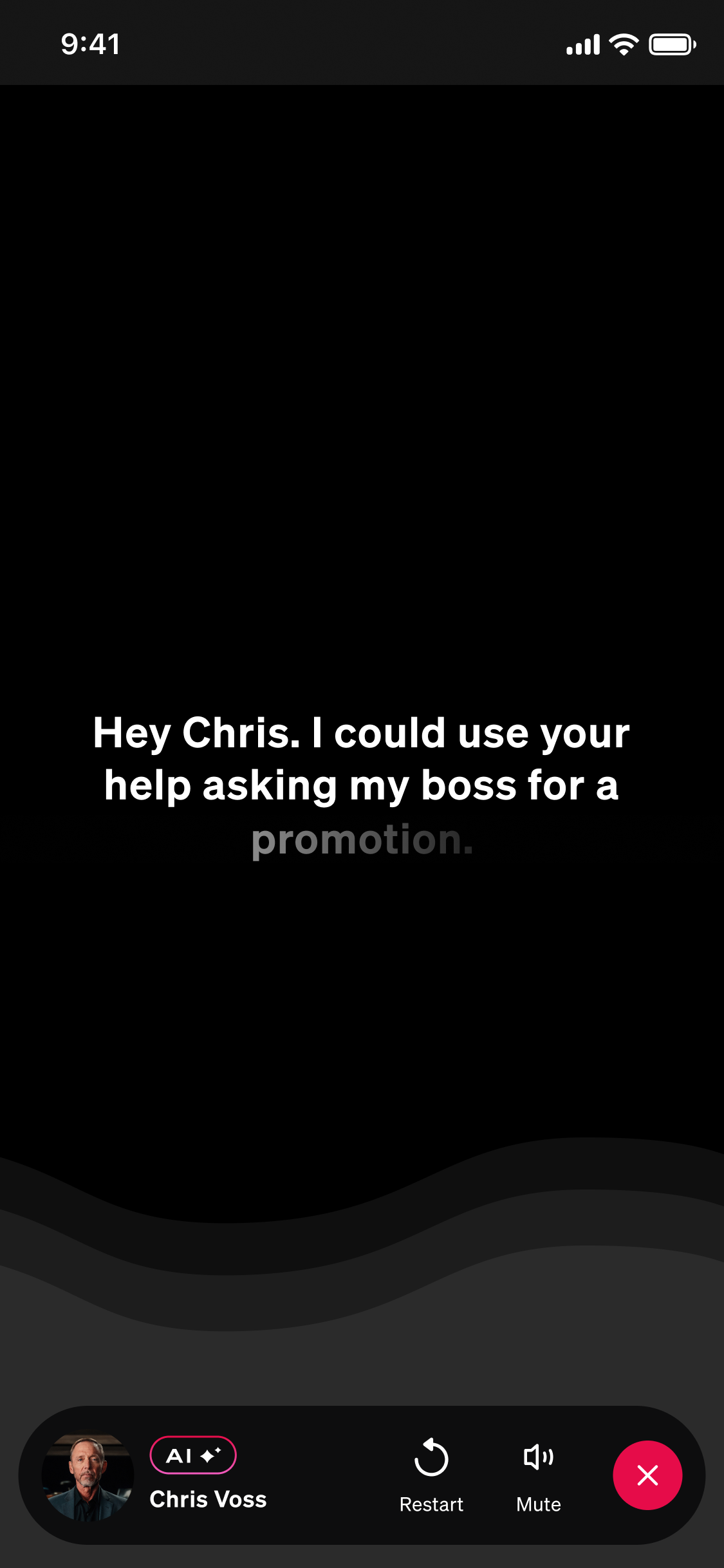
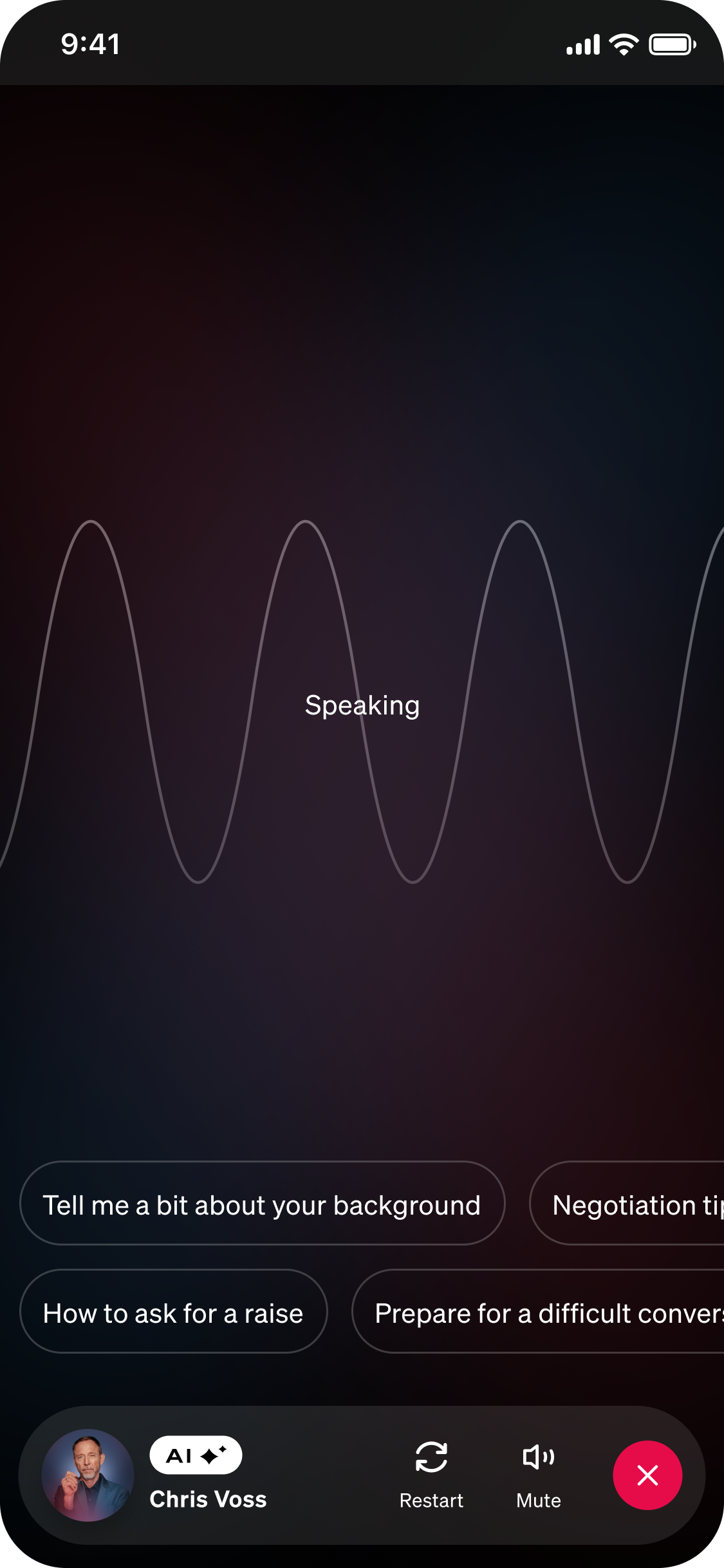
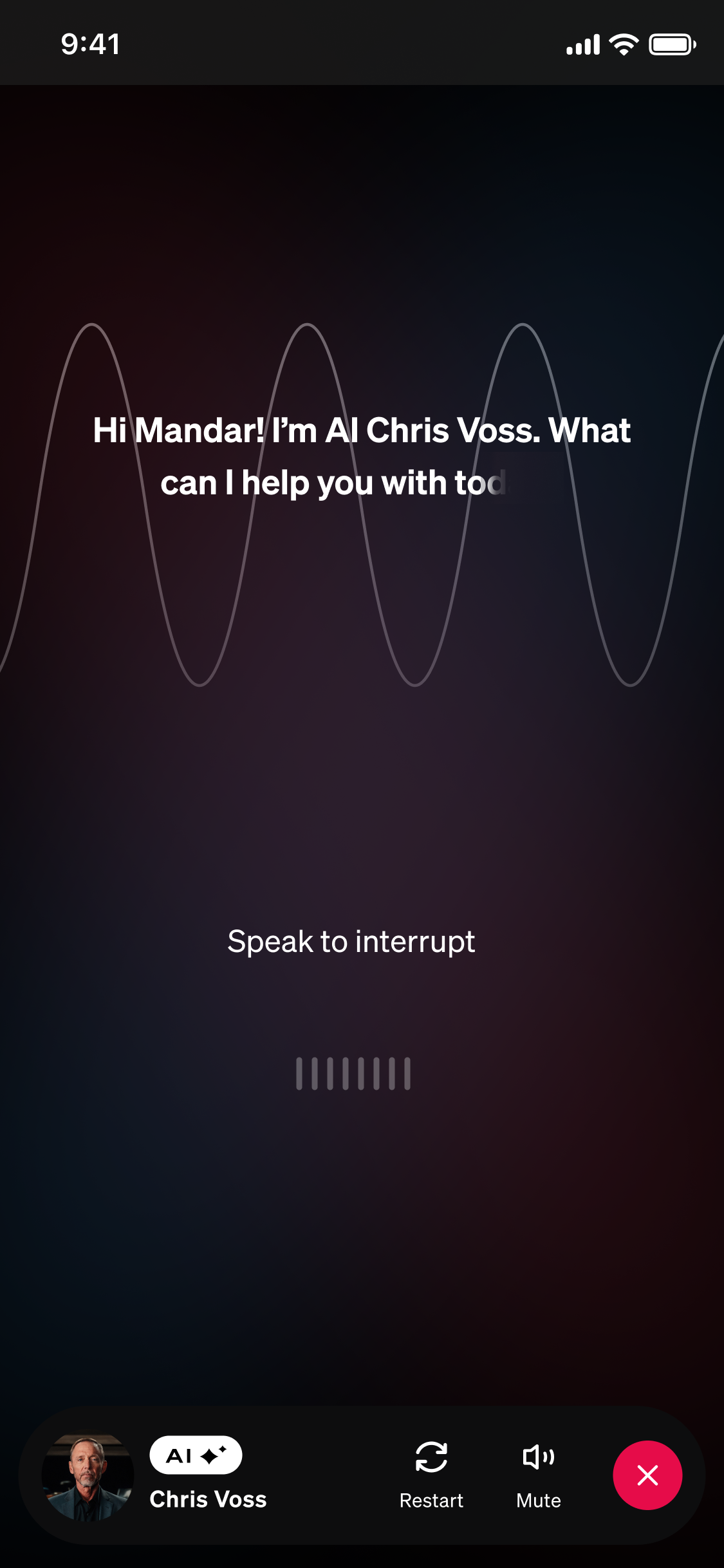
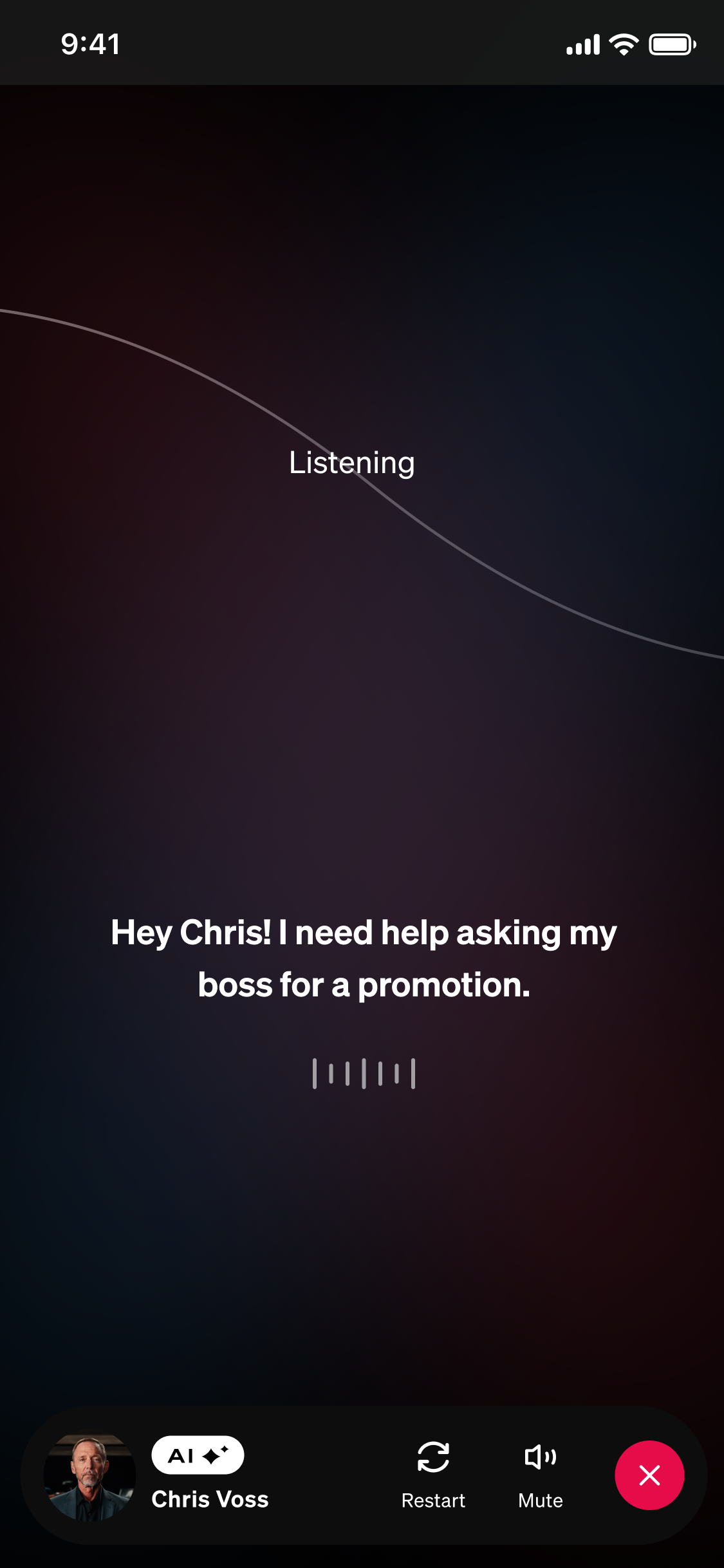
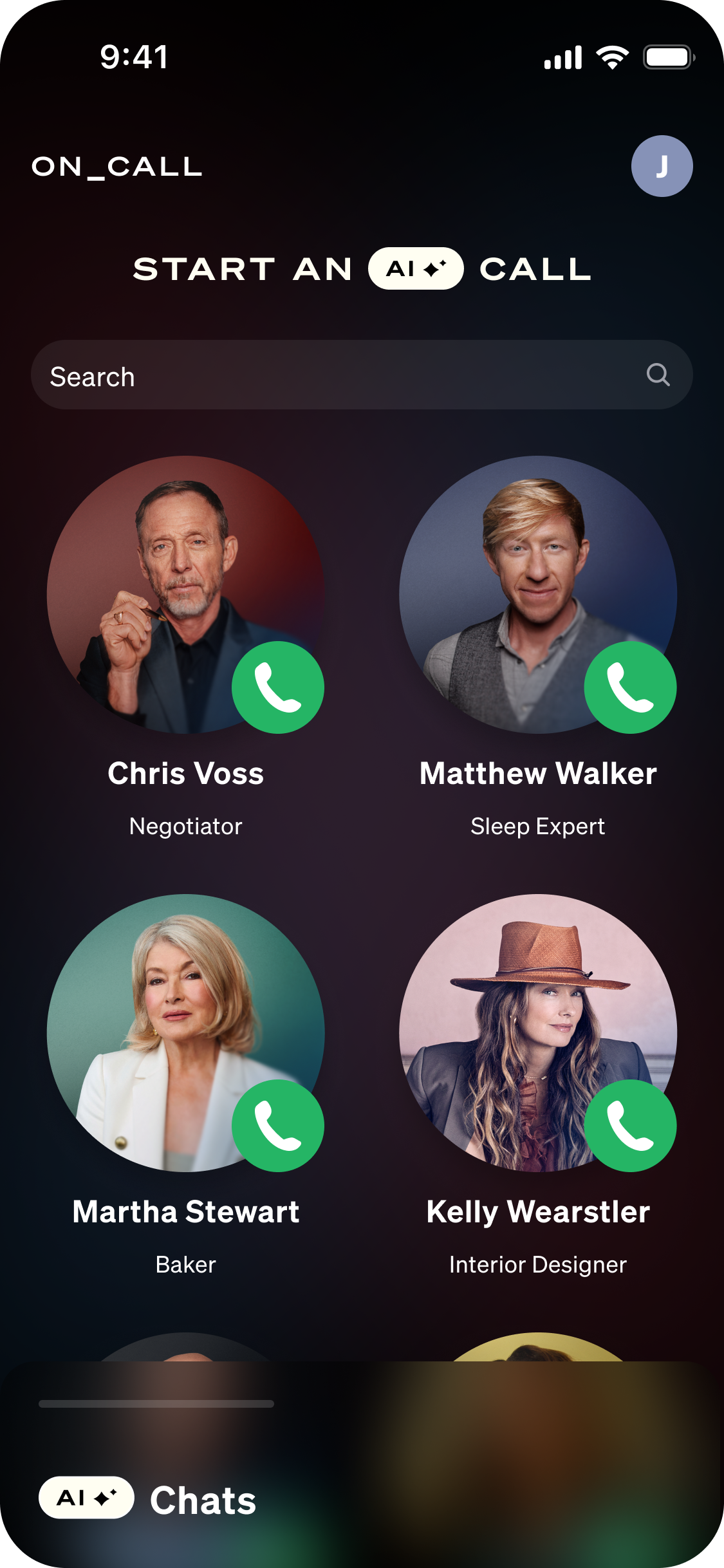
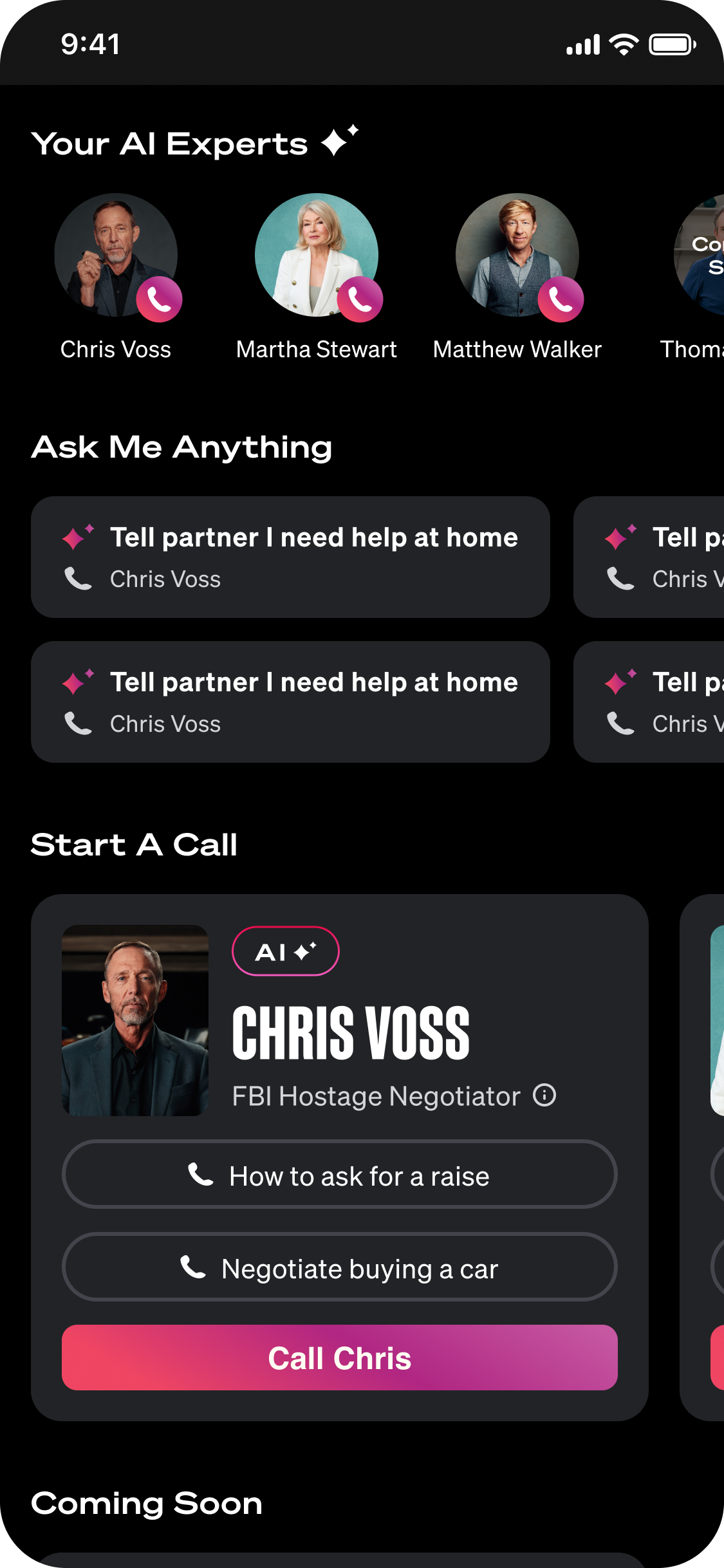
I moved into high-fidelity designs and went through several rounds of iteration. I kept user feedback at the center of my designs and incorporated input from leadership, product, and marketing.
Home Page Explorations
Call UI Explorations
The Solution
After iterating on the feedback, I handed off the designs to our engineering team
SOLUTION REVIEW
“Do these designs meet the product requirements and solve the user problem?”
I iterated to the final version and collaborated closely with product stakeholders, leadership, and the marketing team. I handed the designs off to engineering and was highly involved in the QA process.
Make it easy to start a call ☎️
Users can make a call in a single click
Quick call buttons appear at the top of the screen
Conversation starters throughout the homepage reduce friction to start a call
Guardrails for Unpredictable AI 🚦
Call states and user prompts help communicate what the AI is doing and how the user should engage. Call feedback allows users to report if something went wrong.
Highlight AI Expert Credentials 🏆
AI Expert page gives details on why this person is an expert in their field and can be trusted.
Positive User Sentiment
😍
Positive User Sentiment 😍
77% of users rated their call experience as 4 or 5 stars
Easy To Use
🤩
Easy To Use 🤩
Next Steps & Reflection
Once we launched the Beta, I provided next steps and reflected on what I would have done differently.
NEXT STEPS
“What capabilities and features should we focus on next?”
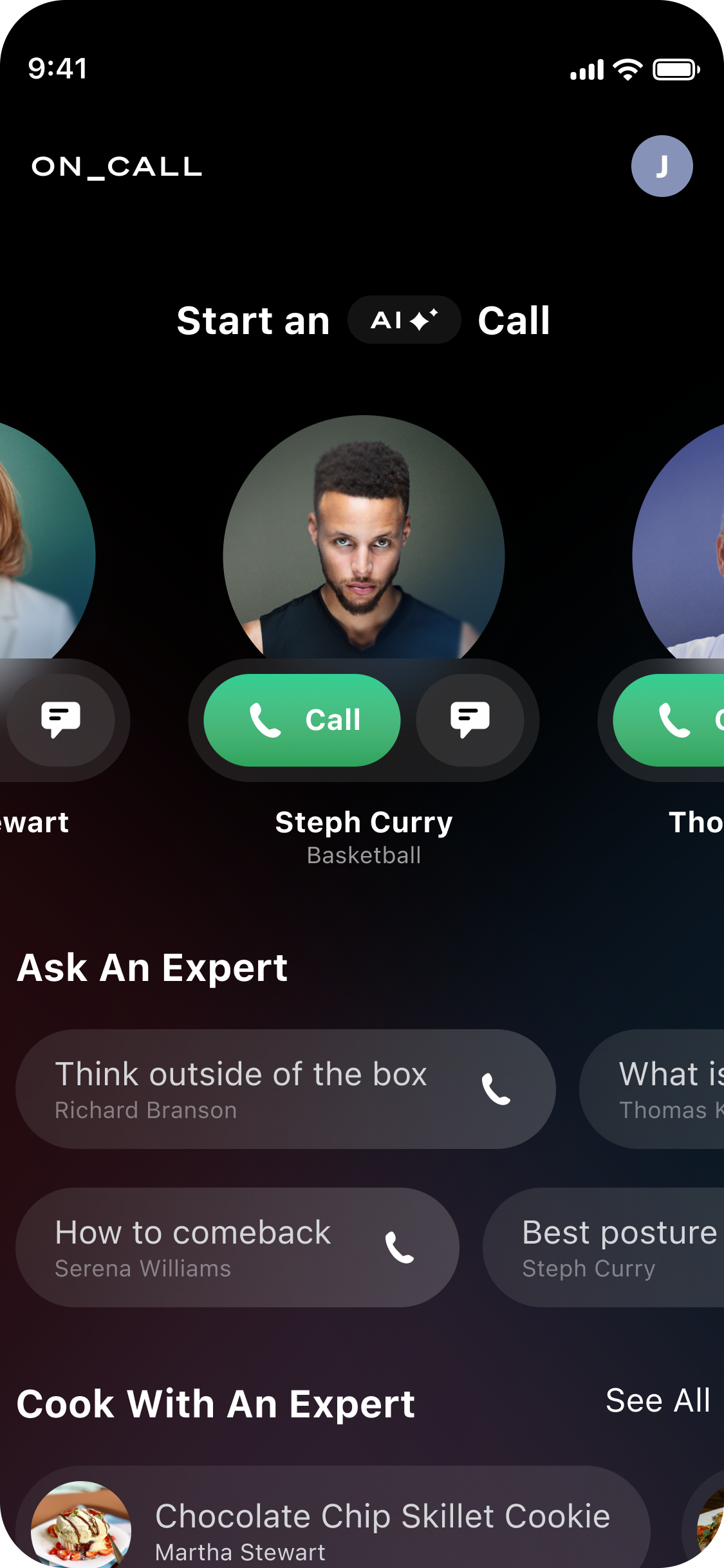
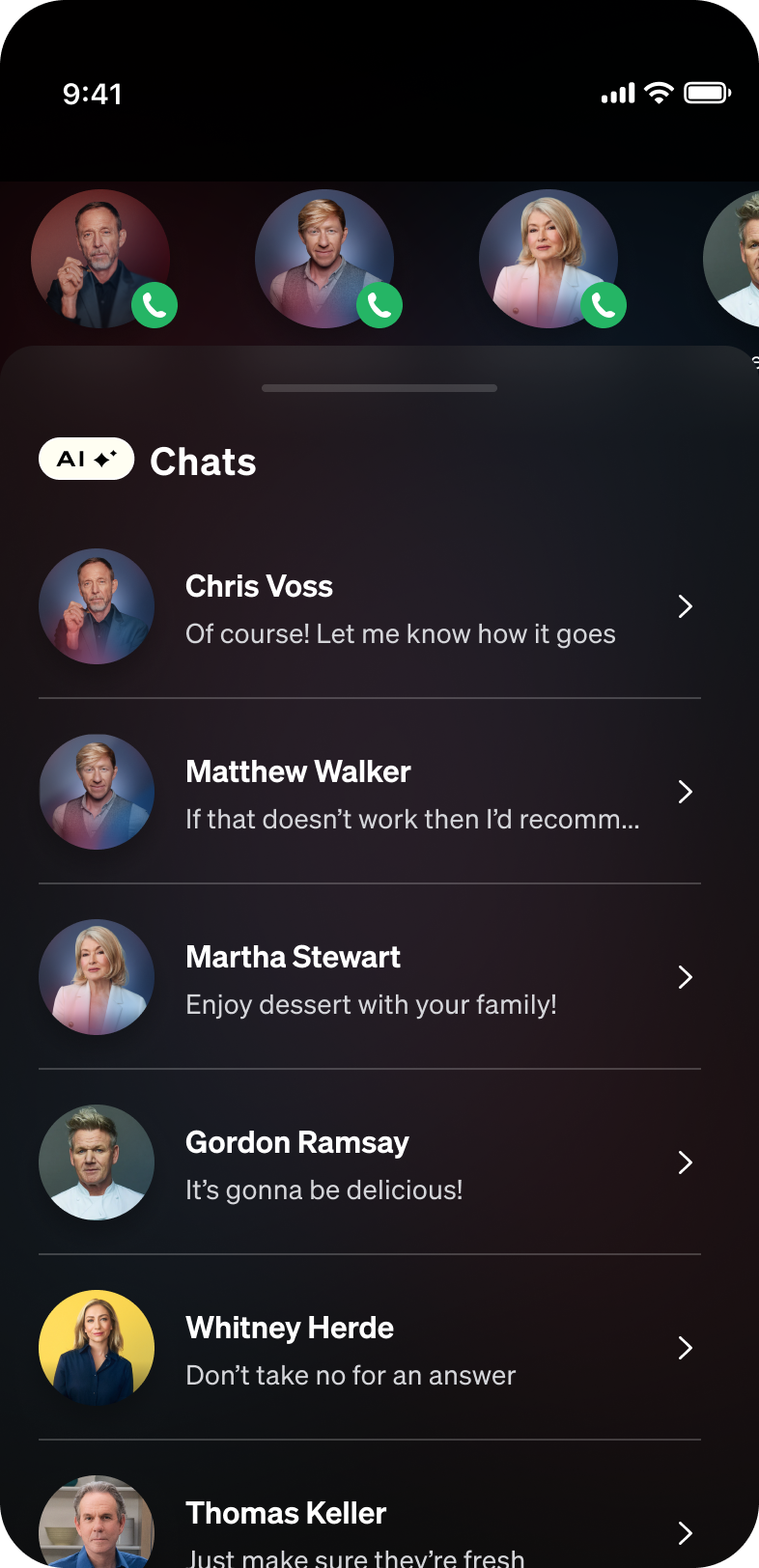
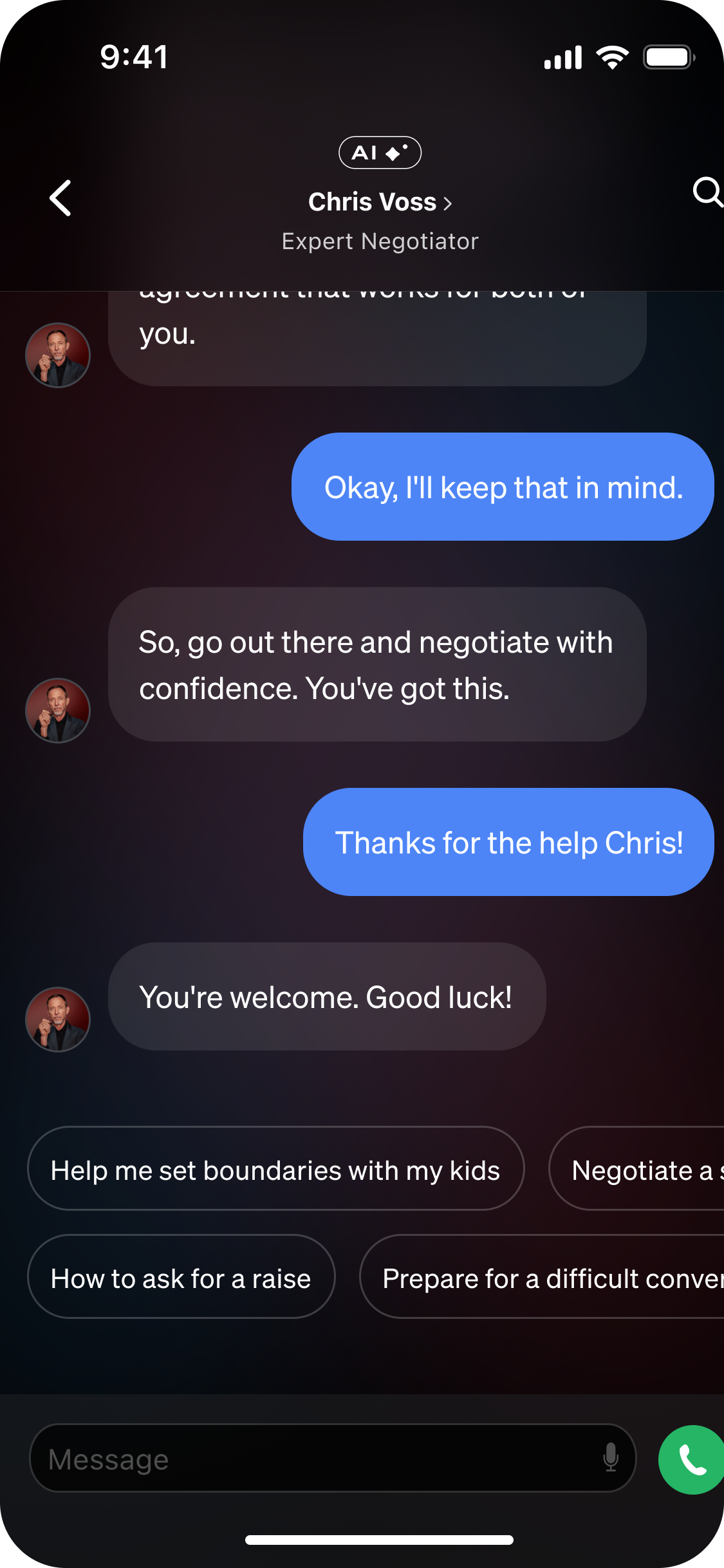
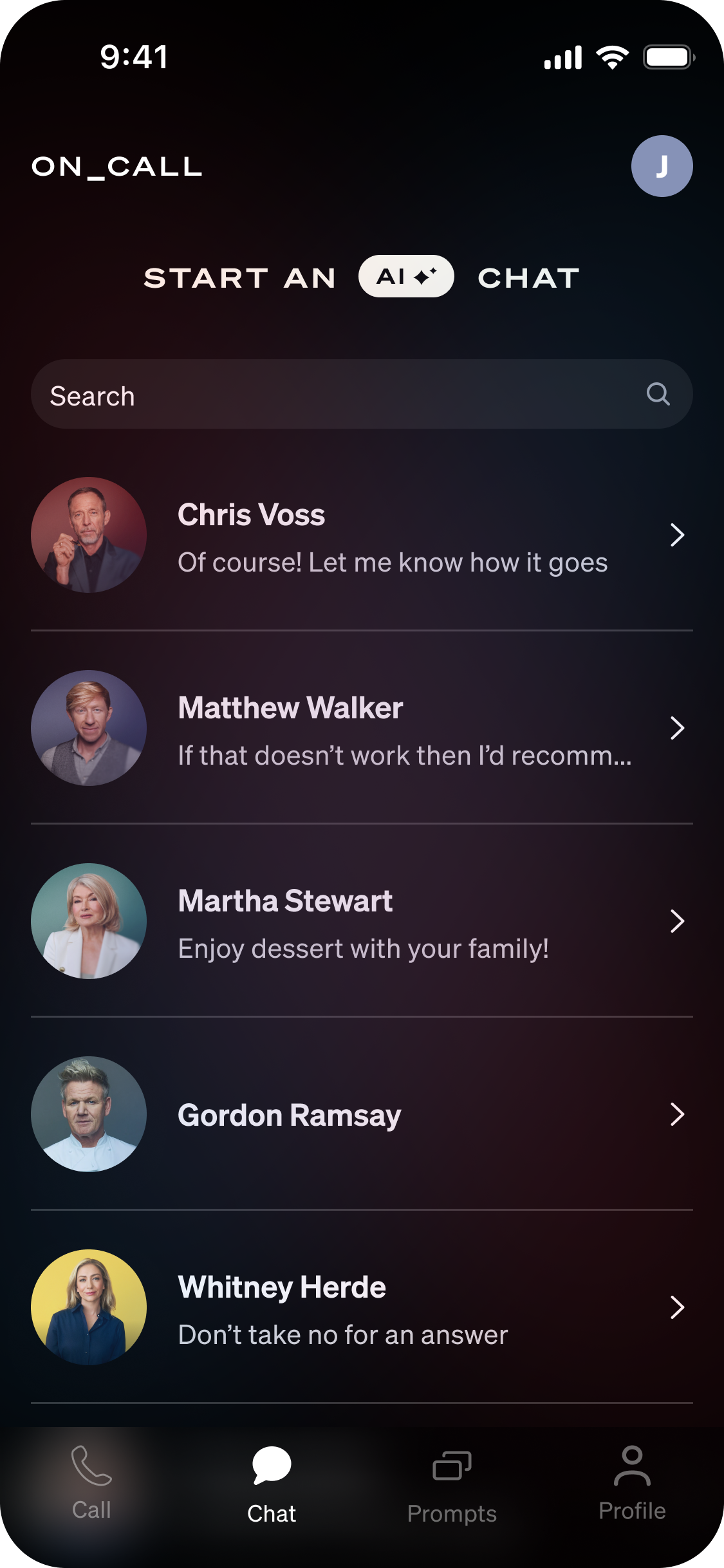
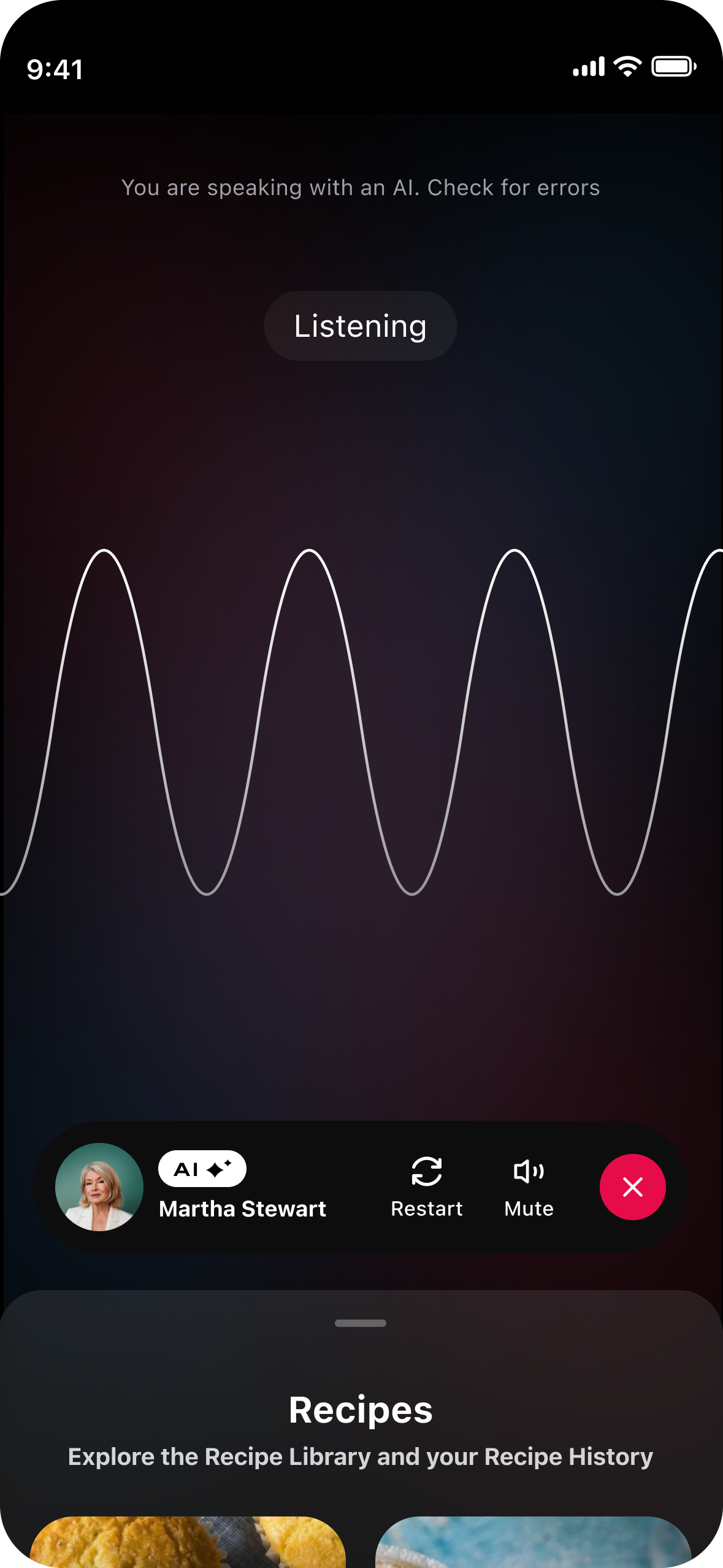
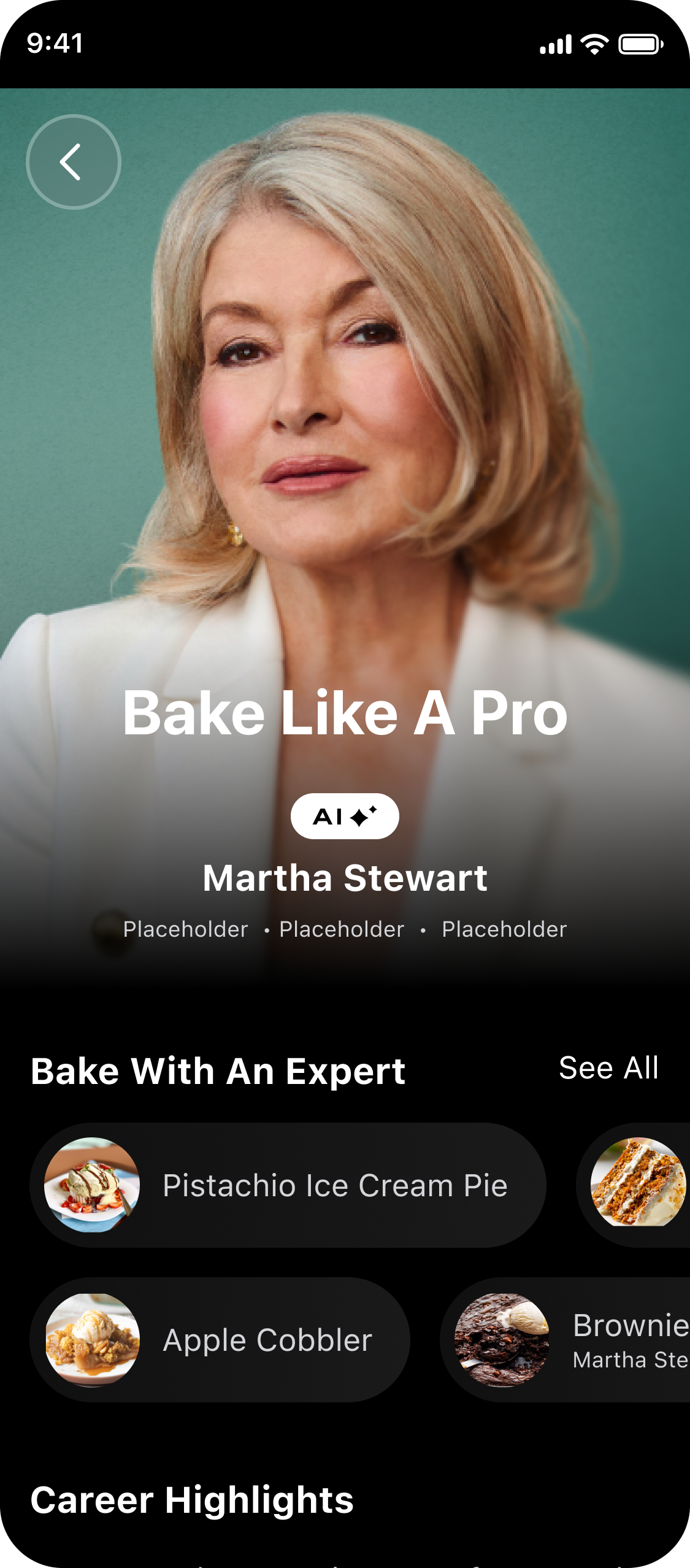
After launching our beta and running UXR, we found that users crave texting capabilities. Given our robust library of chefs, we also explored a cooking companion.
Chat & Transcript Explorations
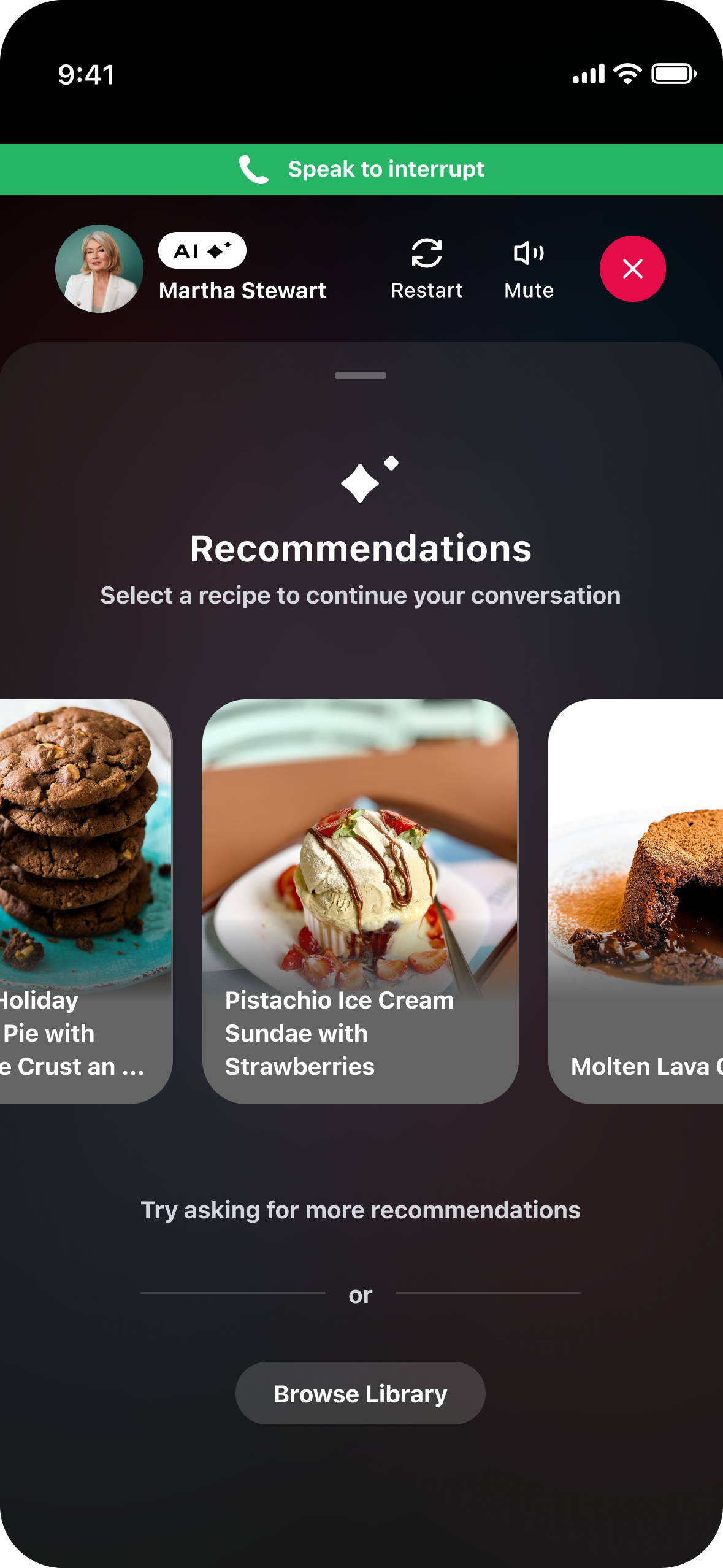
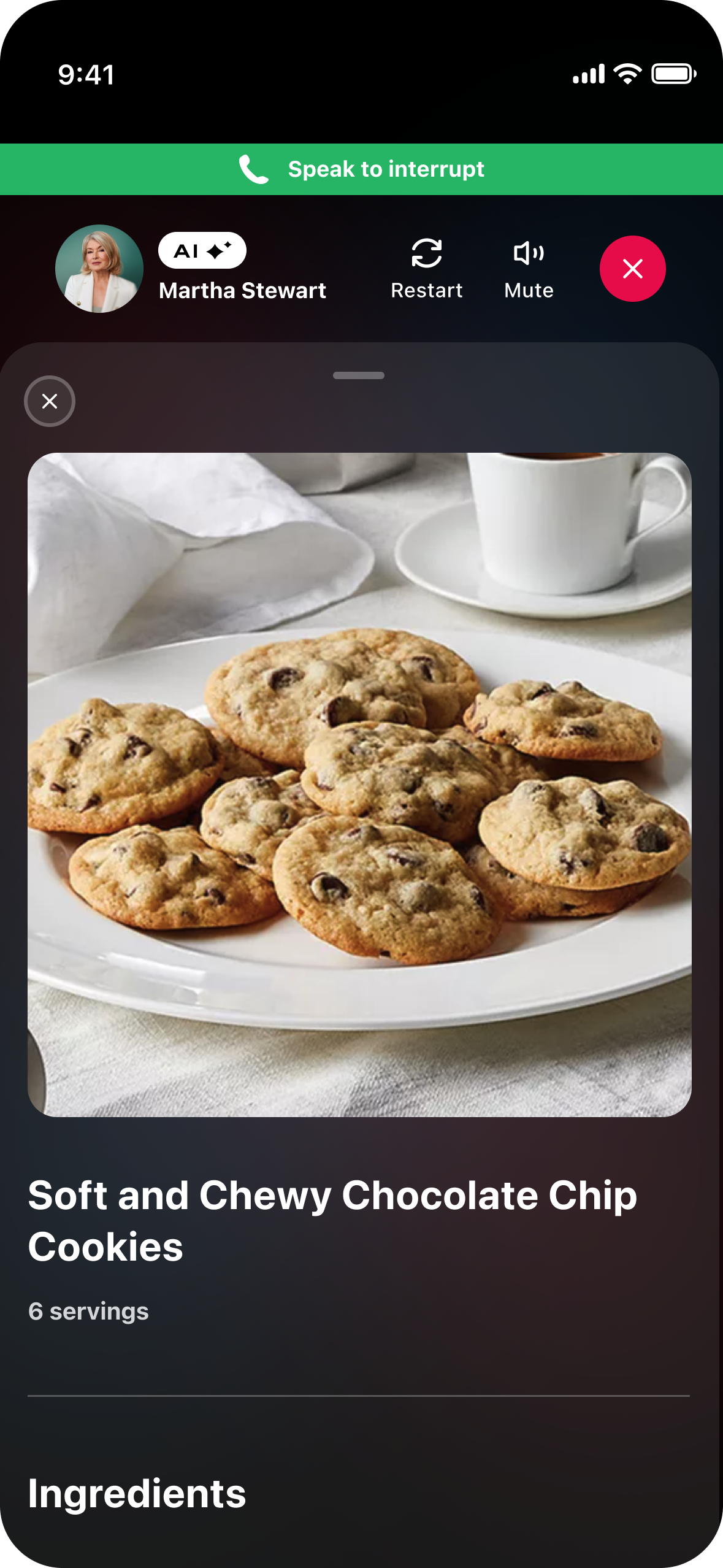
Cooking Companion Explorations
REFLECTION
“What would I have done differently?”
I would have connected with our engineers earlier in the process in order to better understand the capabilities of our AI experts. The product team thought that the AI would be more advanced than was capable with the time allotted. In the future I would confirm the AI capabilities before jumping into designs.
View Other Projects

MasterClass 📈 Growth Team
MasterClass 💍 Engagement Team